

Augmented Reality Development: Nine Misconceptions That Distort a Project Brief
A customer holds up a phone and sees a digital object in the room. The demonstration looks simple, which can make the development behind it easy to underestimate. A useful augmented reality experience depends on more than a convincing model: the audience, physical setting, device support and intended action all influence whether it works well.
For a business considering AR, misconceptions can distort the brief before development starts. Some make the technology seem unnecessarily difficult to access. Others encourage expectations that a short demonstration cannot justify. Both can lead to spending on the wrong problem.
The strongest starting point is a practical question. What should someone understand or do more easily because digital content appears in their real surroundings? The following misconceptions help separate that question from assumptions about novelty, technical reach and commercial value.
Misconception one: AR always requires a headset
AR describes a relationship between digital content and a view of the physical world. A headset is one way to present that relationship, but it is not the only one. Phone and tablet experiences can also place or display digital content in relation to what the device sees.
This matters when the audience already has suitable mobile devices. A product preview, exhibition interaction or educational activity may be designed around a familiar screen rather than specialist equipment. The development approach must still match the intended devices and supported capabilities.
Misconception two: AR is mainly a visual gimmick
A novelty effect may attract attention, but attention is only one possible objective. AR can help someone relate a digital object to an actual location, inspect an otherwise hidden structure or understand a sequence in context. Its value depends on the question that relationship answers.
For example, a furniture preview can let a buyer compare a proposed object with the surrounding room. An educational model can connect an explanation to a physical exhibit. These are different experiences with different requirements, even though both may use a handheld device.
The brief should name the intended change in understanding. If a conventional image already answers the question just as well, AR may add complexity without useful benefit. If spatial context is essential, the additional interaction may be justified. This is a design judgement to test, rather than a benefit to assume from the technology's presence.
Misconception three: a convincing preview proves exact fit
A virtual object can appear plausible while being unsuitable for a purchasing decision about dimensions. The source model, its scale, placement behaviour and the tracking quality all influence what the viewer sees. Visual confidence should not be confused with verified measurement.
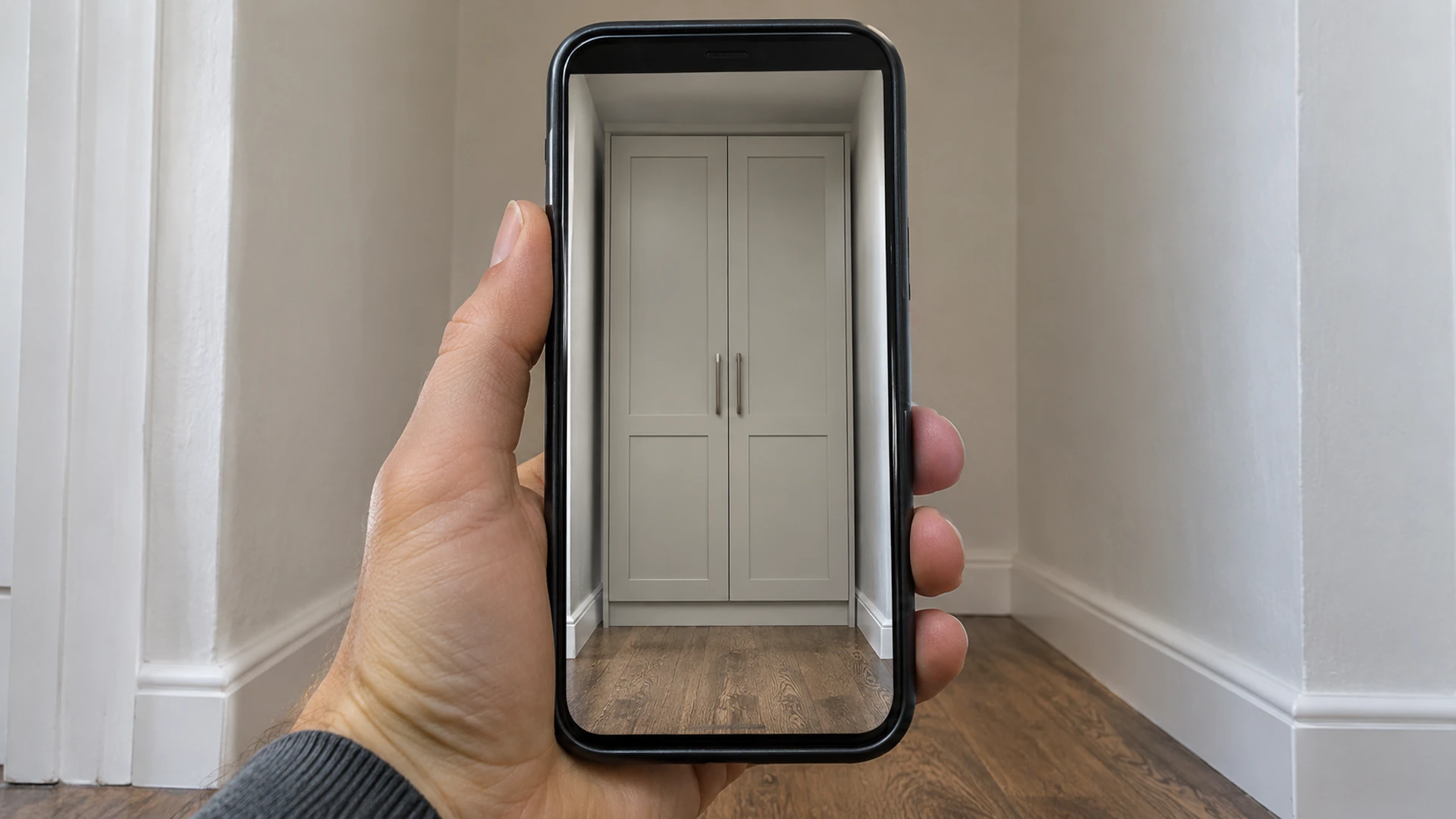
Consider a cabinet preview in a narrow alcove. The useful experience allows the customer to assess how the proposed cabinet relates to both walls, the floor and nearby obstructions. A floating model in the middle of a room offers much less help with that particular decision, however realistic its materials appear.
The project should establish where the preview is informative and where physical checks remain necessary. Access routes, installation clearances and opening doors may require information beyond the visible model. AR can support evaluation, but claims about precise fit need appropriate validation. The interface and accompanying explanation should not imply a level of accuracy the implementation has not demonstrated.
Misconception four: the physical environment does not matter
AR systems need information about their surroundings to place content coherently. Google's ARCore environment guidance identifies challenges including surfaces with little texture, reflective materials and difficult lighting. A successful demonstration in one room does not establish reliable behaviour in every location.
That has practical consequences for a campaign or training activity. A bright exhibition space, a dim interior and a reflective showroom can present different conditions. Users may also move the device differently or begin before the system has enough information about the scene.
Testing should therefore reflect the intended setting and include a clear recovery path. A person needs to understand what to do when placement is not ready or the experience loses its reference. These instructions are part of the product. They should help the user recover without requiring them to understand the technical details of tracking.
Misconception five: browser delivery removes every barrier
A browser-based experience can reduce some installation friction, but it does not remove the need to assess support. Different devices and browsers may offer different capabilities. Camera access, loading time and the availability of the required AR features still influence whether a visitor can begin.
A native application introduces its own distribution and maintenance considerations, while potentially supporting a different set of features. The choice should follow the experience, frequency of use and audience context. Neither approach is universally superior.
A useful proposal describes the supported route and the fallback. If full AR is unavailable, could the visitor still examine a conventional 3D view, read the product details or contact the team? The fallback should preserve the most important information rather than end at an unexplained error. Reach is a matter of deliberate design and testing, not a claim established by using the word web.
Misconception six: any existing 3D model is ready for AR
An organisation may already have detailed design or visualisation assets. Those assets can be valuable starting material, but they were created for a particular purpose. A model suitable for an engineering workstation or a high-resolution still image may need substantial preparation for an interactive mobile experience.
Geometry, textures, materials and file size all influence the result. Optimisation should preserve the details that matter to the user while reducing work that contributes little to the intended task. The correct balance depends on the model and the device target.
Asset review belongs early in the project. It should identify what exists, what can be reused and which elements need rebuilding or simplification. This prevents a misleading assumption that possession of a model eliminates the content-production phase. It also helps estimate scope more honestly, because interaction-ready assets are a deliverable with their own review requirements.
Misconception seven: realistic appearance guarantees useful interaction
A detailed object can still be frustrating to place, rotate or inspect. People need to understand what is possible and receive a clear response when they act. The interface should distinguish between selecting an object, moving it and confirming a choice.
The intended audience matters. A first-time visitor at a public event may need a short, obvious interaction. A specialist user may accept more controls when those controls support a meaningful task. Adding options without a clear purpose can make an otherwise capable experience harder to understand.
Testing should focus on what participants actually do. Can they reach the intended result without coaching? Do they understand whether they are changing the object or moving the camera? Can they reset a poor placement? These observations are more revealing than asking whether the scene looks impressive. Visual quality and interaction quality need separate attention.
Misconception eight: AR automatically improves sales or learning
AR can create a useful way to explore information, but a commercial or educational outcome depends on the whole experience. The content must be accurate, the audience must have a reason to use it and the next step must be appropriate. Novelty does not establish effectiveness.
For a product preview, the relevant question may be whether customers understand scale or configuration better. For an educational activity, it may be whether learners can explain the relationship the model demonstrates. These outcomes should be defined before the application is evaluated.
A pilot can test the underlying assumption with representative users. Observe behaviour and gather feedback, then assess what the evidence supports. Avoid treating time spent in the experience as proof of success: a long session may indicate interest or confusion. The measurement needs an interpretation tied to the original objective, with clear limits on what has actually been demonstrated.
Misconception nine: launch completes the project
An AR experience depends on content and technical conditions that can change. Product models may be revised, supported devices may evolve and distribution arrangements may need attention. A campaign also needs a plan for what happens when its promotion ends.
The maintenance requirement should be proportionate. A short event activation may have a defined operating window. A product catalogue intended for repeated customer use needs an update process and someone responsible for checking the experience over time.
Discuss ownership of assets, access and source files before handover. Clarify who approves content changes and how support issues will be reported. These details affect whether the experience remains useful after its first successful demonstration. They also make future work easier to scope because the team knows which parts of the system and content it can reliably maintain.
A more useful way to discuss feasibility
Once these misconceptions are removed, the project conversation becomes more specific. The business can describe the audience, the physical context and the decision that AR should support. The developer can explain which parts are straightforward, which need testing and where the main uncertainties lie.
A focused prototype is valuable when it tests a consequential assumption. That might be stable placement of a particular object, the clarity of an interaction or the suitability of the delivery method for the audience. A prototype is less useful if it demonstrates an attractive effect while avoiding the difficult part of the intended use case.
Budget follows the experience, not the label
Two AR projects can look similar in a short demonstration and require very different work. One may place a single prepared object in a room. Another may need a configurable product library, account access, multiple languages or a controlled content-update process. Describing both as an AR app conceals the difference.
A useful estimate separates asset preparation, interaction design, implementation, testing and support. It identifies the assumptions on which the estimate depends, including the number of products, supported devices and availability of accurate source material. This lets the buyer understand what changes would affect the scope.
Bring a customer question to the development conversation
AR becomes easier to evaluate when the brief starts with a real uncertainty: how a product relates to a room, how a component works or what a learner needs to explore. That gives the technology a clear job and the project a basis for review.
360 Design's augmented reality development service covers custom AR experiences and delivery approaches suited to different uses. The right starting point is a discussion of the audience, available content and the situation in which the experience will be used.
If you have an idea that needs a practical assessment, contact 360 Design. A useful AR brief should make the intended benefit understandable before any digital object appears on screen.
Gerald Ferreira
Founder and Digital Pioneer at 360Design.org. Leading groundbreaking innovations across Web Development, Virtual Reality, Augmented Reality, 3D Renders, and AI since 1998.


