

Virtual Tour Trends: From Panoramic Views to Useful Spatial Experiences
A virtual tour gives a remote visitor access to a place, but access alone does not guarantee understanding. A person may be able to turn in every direction and still struggle to work out how rooms connect, where to go next or whether the property suits their needs.
That distinction is a useful way to read current virtual-tour developments. Navigation tools, guided experiences and spatial information are expanding what a tour can do beyond presenting attractive panoramic imagery. The commercial question is which of those capabilities helps the intended visitor make a better decision.
For property teams, education providers, venues and organisations with complex sites, the opportunity is to design an experience around a real visit. What would the visitor want to inspect? Which relationships would they need explained? A useful tour brings those questions into the capture and presentation plan.
Guided exploration is becoming easier to produce
Matterport's April 2026 Auto-Tours announcement describes automated creation of an initial guided route, with stops and viewpoints that can be edited. This is a specific platform development, not a capability that should be assumed in every virtual-tour system.
The current guided-tour documentation also distinguishes automatically generated tours from tours built from ordinary 360-degree views. Its requirements and plan conditions show why buyers need to confirm the workflow rather than rely on a broad claim that AI will create everything.
The practical significance is a faster starting point for editorial work. A route still needs to suit the audience. An automated sequence that suits a residential property may overlook what matters to a university applicant or venue organiser. Human judgement remains necessary to decide what should be shown, where to pause and what deserves explanation.
A route should have a purpose
A guided tour can help someone unfamiliar with a site form an initial mental map. It can establish the entrance, show key spaces and demonstrate how they relate. Free exploration then allows the visitor to investigate according to their own interests.
Consider a hypothetical campus tour for prospective students. A short introduction could connect arrival, shared facilities and a representative teaching space. Visitors could then choose areas relevant to their intended course or daily routine. The route gives orientation without pretending every applicant has the same priorities or should follow the entire site in a fixed order.
Spatial context helps answer better questions
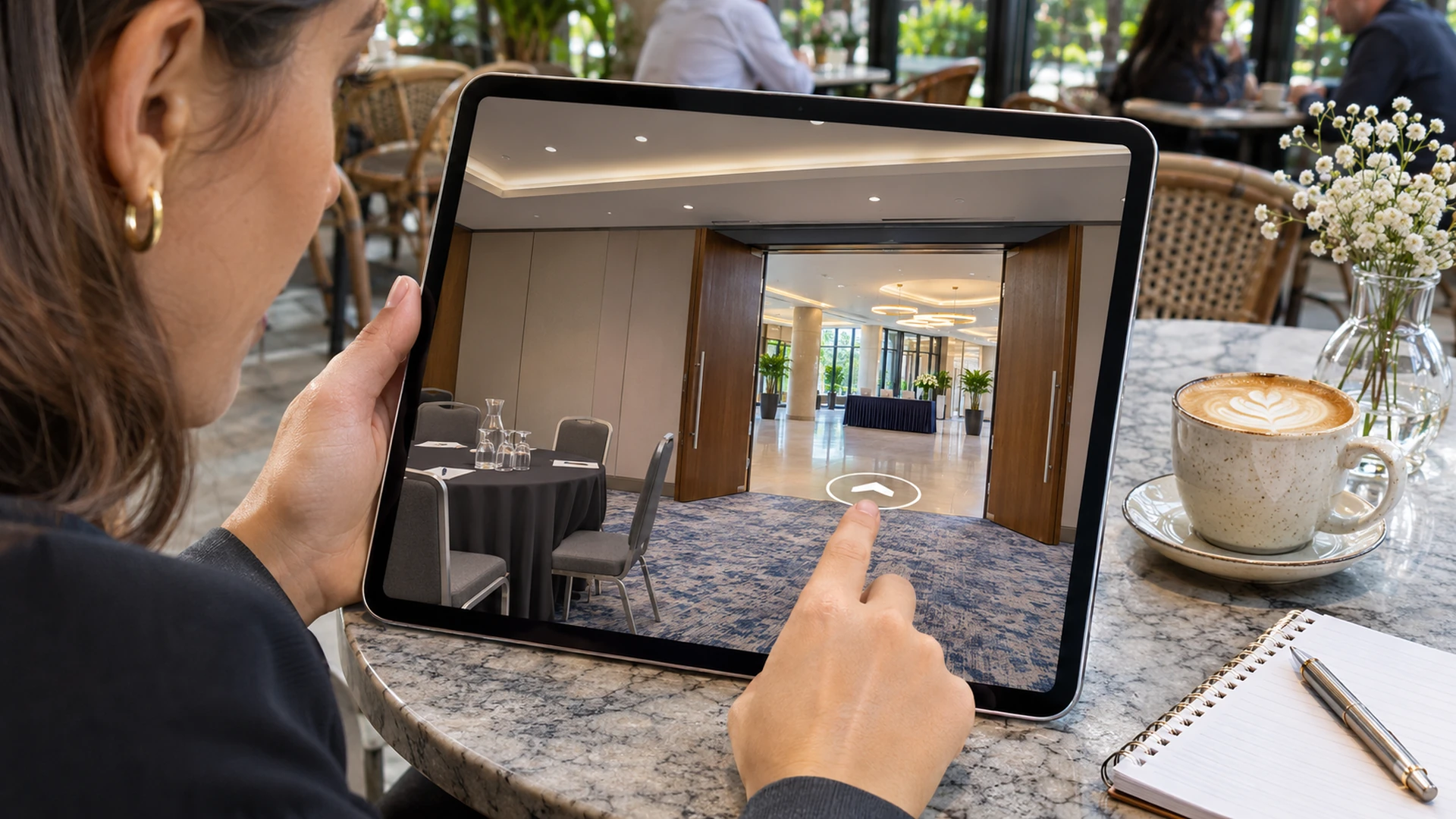
A photograph shows what a room looks like from one viewpoint. A navigable tour can help a visitor understand the relationship between that room and surrounding spaces. Where supported and accurately prepared, floor plans or dollhouse-style views can add another level of orientation.
The value is practical. A venue organiser may need to understand the relationship between registration, meeting rooms and a breakout area. A prospective tenant may want to see whether rooms connect in a way that suits their household. These are questions about arrangement rather than appearance alone.
The interface should make the connection between overview and viewpoint understandable. An attractive miniature model is of limited help if the visitor cannot locate their current position or move to the space they want to inspect. Spatial information should reduce uncertainty, with controls that remain usable on the devices the audience is likely to use.
Digital twins introduce different expectations
The term digital twin is used across a wide range of products. A buyer should ask what a particular deliverable actually contains. A set of linked panoramas, a navigable spatial model and an environment connected to operational data are different things, even when marketing language groups them together.
Matterport's Property Intelligence announcement illustrates one direction of development: deriving layouts, measurements and other information from captured property data. Such features need to be evaluated within the specific platform, capture method and service arrangement.
The implication for a project brief is to name the required use. Is the model for remote exploration, approximate planning or a more formal technical workflow? A visually convincing tour does not automatically establish measurement accuracy or suitability for every operational decision. The deliverable should be described in terms that match what has actually been captured, processed and verified.
Context inside the tour can reduce repeated questions
Interactive information points can explain a feature at the moment a visitor encounters it. This may be more useful than expecting them to leave the tour, find a separate page and then reconstruct where the information applies. The content should support the visit rather than compete with it.
A venue might explain how a room can be configured, while a campus could identify the purpose of a facility. The information needs to be accurate and kept current. A tour that displays outdated room functions or unavailable services can create more confusion than a simpler presentation.
Restraint helps. Too many markers can obscure the space and make important information harder to find. Choose the questions that genuinely benefit from location-specific explanation. Other details may belong on the surrounding website, where they can be read and maintained more easily. The tour should remain navigable rather than become a dense interface layered over every surface.
Mobile use changes the design priorities
A tour that is comfortable on a large desktop display can be awkward on a phone. Controls occupy more of the available view, small markers become difficult to select and navigation may compete with ordinary page scrolling. Mobile testing therefore needs to cover the journey, not just whether the viewer loads.
The first useful view matters. A visitor should be able to understand the starting point and move towards a relevant area without a lengthy explanation. Optional detail can remain available, but it should not prevent basic exploration.
Performance also depends on the content and connection conditions. Buyers should discuss loading behaviour and realistic device targets rather than accept an unqualified promise of smooth performance everywhere. A lightweight surrounding page, sensible presentation choices and an alternative way to access important information can make the overall experience more dependable for a broader audience.
A virtual visit should have a clear next step
A tour often sits within a larger customer journey. The visitor may be deciding whether to arrange an in-person viewing, request availability or ask a specific question. If the next step is difficult to find, the tour can generate interest without helping the person act on it.
The appropriate action depends on the setting. A venue might invite an enquiry about dates and capacity. An education provider may connect the tour to programme information or an open-day page. A property presentation might offer a route to discuss the particular listing.
The integration should preserve context. Someone who has explored a specific location should not need to start again with a generic contact process that loses the subject of their interest. This is a design opportunity to discuss with the team building the surrounding website, without assuming that every tour platform provides the same integration options.
Measurement should distinguish curiosity from usefulness
Time spent exploring can indicate interest, but it can also indicate difficulty finding the right place. The number of views alone does not reveal whether visitors understood the site or progressed towards a meaningful next step.
A more useful evaluation begins with the tour's purpose. Are prospective visitors better able to ask informed questions? Can users find the spaces highlighted in the brief? Does the sales or admissions team receive fewer basic orientation questions? These outcomes require interpretation alongside any available viewing data.
Where analytics are included, establish what is recorded and what the platform can reliably report. Avoid implying a level of behavioural insight that the implementation does not provide. Qualitative feedback from representative users can be especially useful in identifying unclear navigation or missing content. Measurement should help improve the visit, rather than merely demonstrate that people opened the link.
Capture quality begins with site readiness
The finished tour depends on what is present at capture. Temporary clutter, incomplete areas and misleading arrangements can become part of the experience. Preparing the site is therefore a communication decision as well as a production task.
Readiness should reflect the intended portrayal. A working facility may need to look operational, while a property marketing tour may require a carefully presented interior. In both cases, the objective is an accurate and appropriate representation, not a scene that promises something unavailable to real visitors.
The capture plan should identify essential routes and viewpoints before work begins. Missing a connection between important spaces can make navigation confusing even when individual panoramas are technically strong. A coherent spatial experience comes from coverage designed around the visitor's questions, followed by careful assembly and review of the resulting journey.
Ongoing ownership matters more as tours become richer
Adding information and interactive features increases what there is to maintain. Rooms change, equipment moves and contact details are updated. A tour intended to remain useful needs an owner who can identify when the captured environment or its supporting content no longer reflects reality.
Not every physical change justifies a complete recapture, but some changes may make the tour misleading. Agree a review process based on significance rather than a vague expectation that the experience will remain current indefinitely. A dependable tour is a maintained representation of a place, with a clear route for correcting information when circumstances change.
Better selection matters more than more features
New tools can make a tour easier to create or more informative to use. They can also add unnecessary complexity when chosen without a clear purpose. The useful decision is whether a feature answers a question the intended visitor actually has.
A small venue might benefit most from a straightforward route and clear room relationships. A large campus may need stronger orientation and a carefully structured choice of destinations. A technical facility may require restricted access and a tightly defined audience. These are different briefs, not different levels of enthusiasm for the technology.
This is why a service proposal should describe the visitor journey before listing platform features. The buyer can then judge whether each addition improves understanding or simply expands the interface. A focused experience is easier to review, maintain and explain to the people expected to use it.
Commission a visit that helps someone decide
The meaningful trend in virtual tours is the opportunity to connect visual access with context, orientation and action. Automated production tools and richer spatial information can support that goal, but the experience still needs a clear audience and editorial purpose.
360 Design's virtual tour service covers interactive presentations for different kinds of locations. A useful starting brief identifies who will explore the space, what they need to understand and what should happen after the virtual visit.
If you are considering a tour, contact 360 Design with the location and the questions your visitors commonly ask. The objective is an experience that helps them arrive at the next conversation with a clearer understanding of the place.
Gerald Ferreira
Founder and Digital Pioneer at 360Design.org. Leading groundbreaking innovations across Web Development, Virtual Reality, Augmented Reality, 3D Renders, and AI since 1998.


